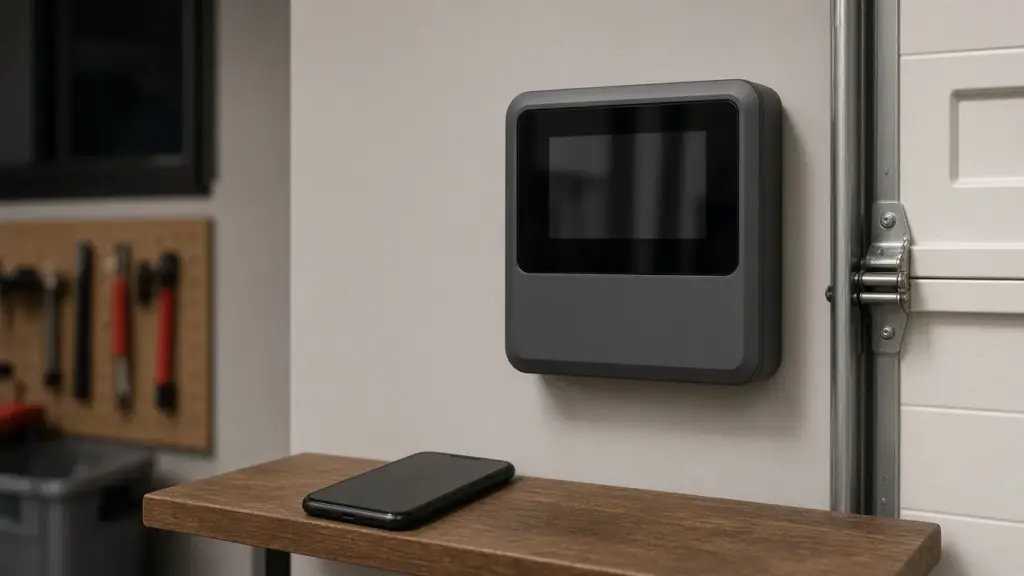
Your irrigation controller decides when each zone runs, how long it runs, and whether it runs at all. When it is programmed well, the system uses water efficiently and stays within Dallas watering rules. When it is not, you can end up with dry spots, soggy beds, surprise water bills, or a violation notice for watering on the wrong day.
This guide covers how controllers work, the problems we see most often in Dallas homes, how to program for the city’s schedule, and how to decide between repairing an older timer and upgrading to a smart controller from brands like Rain Bird, Hunter, Toro, or Rachio.
How an Irrigation Controller Works
A typical residential controller is a small computer with a low-voltage transformer. It stores one or more programs. Each program has watering days, one or more start times, and a run time for each zone. When a start time arrives, the controller energizes each zone’s valve in sequence.
Most controllers also have:
- A sensor input for a rain and freeze sensor, which Dallas requires on automatic systems.
- A seasonal adjust setting that scales every run time up or down by a percentage.
- A master valve or pump start output on some systems.
- Battery or non-volatile memory to keep the program during a power outage.
Smart controllers add a Wi-Fi connection and use local weather data, and sometimes soil or flow sensors, to adjust schedules automatically.
Common Controller Problems
Watering on the wrong days or at the wrong times
This is the most common controller complaint, and it is usually a programming issue rather than a hardware failure. Typical causes include a clock that reset after an outage, an extra program that was never cleared, multiple start times on one program, or a day setting that does not match your assigned days. Remember that start times apply to the whole program. Three start times means every zone in that program runs three times.
A zone that does not run
If the controller shows a zone running but nothing happens, the issue may be in the controller output, the wiring, or the valve. Many controllers show a fault or short-circuit message for one station. Our valve and zone repair guide explains how to test further along the circuit.
Lost program after a power outage
Older timers rely on a backup battery to hold the date and time. If the battery is dead, an outage can wipe the clock or the program. Replacing the battery and re-entering the schedule usually fixes it. Newer units keep programs in memory but may still need the time reset.
Blank screen or no response
Check the outlet, any GFCI that may have tripped, and the transformer. Lightning and power surges can damage controller boards and transformers, which is a real risk during North Texas spring storms.
Wi-Fi controller dropping offline
Smart controllers mounted in garages or on exterior walls often sit at the edge of a home’s Wi-Fi range. A weak signal causes missed schedule updates and app errors. A mesh network node or a better controller location usually fixes this.
Programming for Dallas Watering Rules
The City of Dallas allows automatic irrigation a maximum of twice per week based on the last digit of your address, and prohibits sprinkler watering between 10 a.m. and 6 p.m. on every day of the year. As of the May 2026 ordinance update, that time-of-day rule applies year-round. Our guide to the Dallas watering schedule lists the day assignments and exceptions.
When programming:
- Set the correct date and time, including daylight saving adjustments.
- Use one main program for lawn zones on your two assigned days.
- Set start times before 10 a.m. or after 6 p.m. Early morning is usually best because it reduces evaporation and lets grass dry during the day.
- Use cycle and soak. Dallas clay absorbs water slowly. Splitting a zone’s run time into two or three shorter cycles separated by a rest period reduces runoff.
- Put drip zones on their own program. Drip needs longer run times at lower application rates.
- Connect and enable the rain and freeze sensor. A sensor that is installed but bypassed does not protect you.
Seasonal Adjust: The Easiest Water Saver
Instead of rewriting every run time as the weather changes, use the seasonal adjust feature. Set your run times for peak summer demand at 100 percent, then reduce the percentage in spring and fall. It takes seconds and prevents overwatering in cooler months. Our year-round maintenance calendar suggests when to revisit it.
Smart Controllers: Are They Worth It?
Smart controllers adjust watering based on weather, and many let you manage the system from your phone. For many Dallas homeowners, the main benefits are convenience, automatic seasonal adjustment, and alerts when something goes wrong.
Popular options include:
- Rachio, known for its app and simple setup.
- Rain Bird smart models and Wi-Fi modules for existing Rain Bird controllers.
- Hunter Hydrawise and Wi-Fi-enabled Hunter models.
- Toro smart controllers.
A smart controller will not fix broken heads, poor coverage, or leaks. It schedules water; it does not deliver it more evenly. If your system has coverage problems, fix those first, then add smart scheduling. We explain coverage issues in our sprinkler head repair guide.
Also make sure a smart controller’s settings follow city rules. Weather-based scheduling can be set to run only on allowed days and within allowed hours.
Flow Sensors and Leak Alerts
Some smart controllers can connect to a flow sensor. The controller learns normal flow for each zone and alerts you when flow is abnormally high, which can indicate a broken head or pipe, or abnormally low, which can indicate a stuck valve. Paired with a master valve, some systems can shut off automatically. It is a worthwhile upgrade for homes that have had repeated leaks; see our leak detection guide.
Repair or Replace Your Controller?
Repair or simple fixes make sense when the issue is programming, a dead battery, a tripped outlet, or a single loose wire. Replacement makes sense when:
- The board or display is damaged.
- The controller does not have enough stations for your zones.
- It lacks a sensor input or cycle-and-soak feature.
- You want remote access, weather-based scheduling, or flow monitoring.
When replacing a controller, a technician will match the station count, move the zone wires to the new terminals in the correct order, test every zone, reconnect the sensor, and program the schedule for your address.
More Controllers & Smart Timers Guides
- Programming a Controller for Dallas’s Year-Round Watering Schedule
- Rain Bird ESP-TM2 Setup Tips for North Texas Lawns
- Hunter Pro-C and X2 Troubleshooting Guide
- Rachio Smart Controller Setup for Dallas Watering Days
- Toro Controller Error Codes and What They Mean
- Why Your Controller Waters on the Wrong Days
- “Smart Controllers and Flow Sensors: Catching Leaks Early”
- Controller Lost Its Program After a Power Outage
- Surge and Lightning Damage to Irrigation Timers
- Wi-Fi Controllers That Keep Dropping Offline
Frequently Asked Questions
Why does my sprinkler system run more than once a day?
Your program likely has more than one start time. Each start time runs every zone in that program. Delete the extra start times, or use them intentionally for cycle and soak.
Do I need a rain and freeze sensor in Dallas?
Yes. The City of Dallas requires automatic irrigation systems to have a working rain and freeze sensor.
Will a smart controller lower my water bill?
It can reduce overwatering by adjusting to the weather, but results depend on how the system was scheduled before and on whether heads and pipes are in good shape.
Can I install a smart controller myself?
Many homeowners swap a controller themselves. If the wiring is damaged, zones are unlabeled, or the sensor and master valve connections are unclear, a professional install avoids problems.
What should I do after a power outage?
Check the date, time, and program, and replace the backup battery if the controller uses one.
Get Controller Repair or an Upgrade in Dallas
Whether your timer is skipping zones or you are ready for smart scheduling, our team can troubleshoot, program, or replace it. Learn about our irrigation services, or contact us to schedule.
Request Service or call 214-227-7444
We serve homes throughout Dallas and nearby North Texas communities.