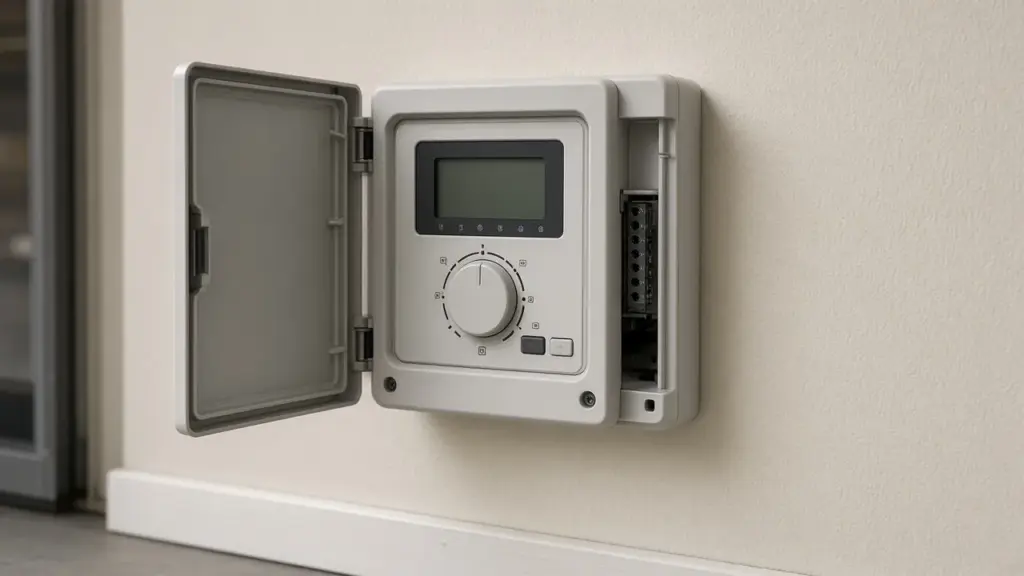
Most irrigation controllers can follow the City of Dallas watering rules easily. The problem is that many are not programmed to. A controller that still has an old third watering day, a leftover start time, or a program that runs into the late morning can waste water and break the rules even when every part of the system works perfectly.
This guide walks through programming a typical residential controller for the Dallas schedule. The exact buttons vary by brand, but the logic is the same for Rain Bird, Hunter, Toro, Rachio, and most other controllers.
The Rules You Are Programming For
Confirm current rules with Dallas Water Utilities, but as of the May 2026 ordinance update:
- Automatic irrigation is limited to two days per week, based on the last digit of your address.
- Addresses ending in 0, 2, 4, 6, or 8 (and properties without a number): Sundays and Thursdays.
- Addresses ending in 1, 3, 5, 7, or 9: Wednesdays and Saturdays.
- No sprinkler watering between 10 a.m. and 6 p.m., any day of the year.
- A working rain and freeze sensor is required.
Our Dallas watering schedule guide explains the rules and exceptions in more detail.
Before You Start
Gather a few things:
- A list of zones and what each waters: lawn sprays, lawn rotors, beds, drip.
- Your controller’s manual or the manufacturer’s app.
- A rough idea of how long each zone currently runs.
If you do not know what each zone waters, run them one at a time manually and write it down. That list will help with every future repair too.
Step 1: Set the Date and Time
It sounds obvious, but a wrong clock is behind many schedule problems. Check AM and PM, the day of the week, and the date. Many controllers reset after long power outages, especially if the backup battery is dead.
Step 2: Clear Old Programs
Most controllers have several programs, often labeled A, B, and C. Each program has its own days and start times. Look through every program and remove zones or start times you do not intend to use. A forgotten program is one of the most common reasons a system waters on the wrong day.
Step 3: Organize Programs by Zone Type
A simple, effective setup:
- Program A: lawn zones (sprays and rotors), on your two assigned days.
- Program B: drip and bed zones, with longer run times.
Separating lawn and drip lets each have appropriate run times. Drip, soaker hoses, and hand watering are allowed outside the twice-weekly sprinkler schedule under Dallas rules, but many homeowners still keep drip on a modest, regular schedule rather than running it daily.
Step 4: Set Watering Days
Set Program A to your two assigned days only. If your controller offers interval or odd/even options, use the specific day-of-week setting instead, since Dallas assigns fixed weekdays rather than calendar odd and even dates.
Step 5: Choose Start Times
Remember that each start time runs every zone in the program. If you enter three start times, all zones run three times.
For most Dallas homes, a start time in the early morning works well. Add up the total time for all zones, including soak periods, and make sure the program finishes before 10 a.m. If the system is large, start earlier.
Evening watering after 6 p.m. is allowed, but it leaves turf wet overnight, which can encourage fungal disease in St. Augustine. Early morning is usually better.
Step 6: Set Run Times by Zone Type
Run times depend on head type, soil, sun exposure, and season. Some general principles:
- Spray zones apply water quickly and need shorter run times.
- Rotor and rotary nozzle zones apply water slowly and need longer run times.
- Shade zones need less water than sun zones.
- Drip zones need much longer run times than sprays.
If you are unsure, start conservatively, then check soil moisture a day after watering with a screwdriver or probe. Adjust up or down from there.
Step 7: Use Cycle and Soak
Dallas clay absorbs water slowly. Instead of one long run, split each lawn zone into shorter cycles with a rest period between them. You can do this in two ways:
- Built-in cycle and soak: Many modern controllers let you set a maximum cycle time and a minimum soak time per zone.
- Multiple start times: Use two or three start times with shorter run times, spaced so each zone rests while the others run.
Either way, confirm the last cycle finishes before 10 a.m. Our clay soil guide explains why this matters.
Step 8: Connect and Enable the Rain and Freeze Sensor
Make sure the sensor is wired to the controller’s sensor terminals and that the sensor setting is set to active, not bypass. Test it using the sensor’s test button or by wetting it according to the manufacturer’s instructions, and confirm the controller shows a pause or sensor alert.
Step 9: Use Seasonal Adjust
Seasonal adjust scales every run time by a percentage. Program your run times for peak summer demand at 100 percent, then lower the percentage in spring and fall and much further in winter. It is the easiest way to avoid overwatering in cooler months. Our year-round maintenance calendar suggests when to revisit it.
Step 10: Verify
Run a full program manually, or watch the next scheduled run. Confirm each zone runs in order, for the right time, and that the program ends before 10 a.m.
Smart Controllers
Smart controllers can adjust run times based on weather, but they still need correct watering days and allowed hours. In the app, set watering restrictions or allowed days to match your address, and set the latest end time to before 10 a.m. Our controller repair and upgrade guide compares popular models.
Common Programming Mistakes
- A third watering day left over in another program
- Extra start times that multiply watering
- Drip zones set to spray run times
- Seasonal adjust left at a high summer percentage all year
- Sensor bypassed after a repair
- Clock wrong after a power outage
When Programming Does Not Fix It
If a zone runs when it should not, or does not run at all, the problem may not be the program. Stuck valves, wiring faults, and failed solenoids can all look like schedule problems. Our valve repair guide explains how to tell the difference.
Frequently Asked Questions
What days can I water in Dallas?
Addresses ending in an even number or with no number water on Sundays and Thursdays. Addresses ending in an odd number water on Wednesdays and Saturdays.
What is the latest I can water in the morning?
Sprinkler watering must end by 10 a.m. Plan start times so every zone, including soak periods, finishes before then.
Why is my controller watering three times a day?
Your program likely has three start times. Each start time runs every zone in that program.
Do I need separate programs for drip?
It is a good idea. Drip needs much longer run times than spray zones.
How often should I change my schedule?
Use seasonal adjust monthly or with major weather changes, and review the full program at least twice a year.
Get Your Controller Programmed Right
We can program your controller for your assigned days, set up cycle and soak, and verify your rain and freeze sensor. Learn about our sprinkler repair service, or contact us to schedule.
Request Service or call 214-227-7444
We serve homes throughout Dallas and nearby North Texas communities.