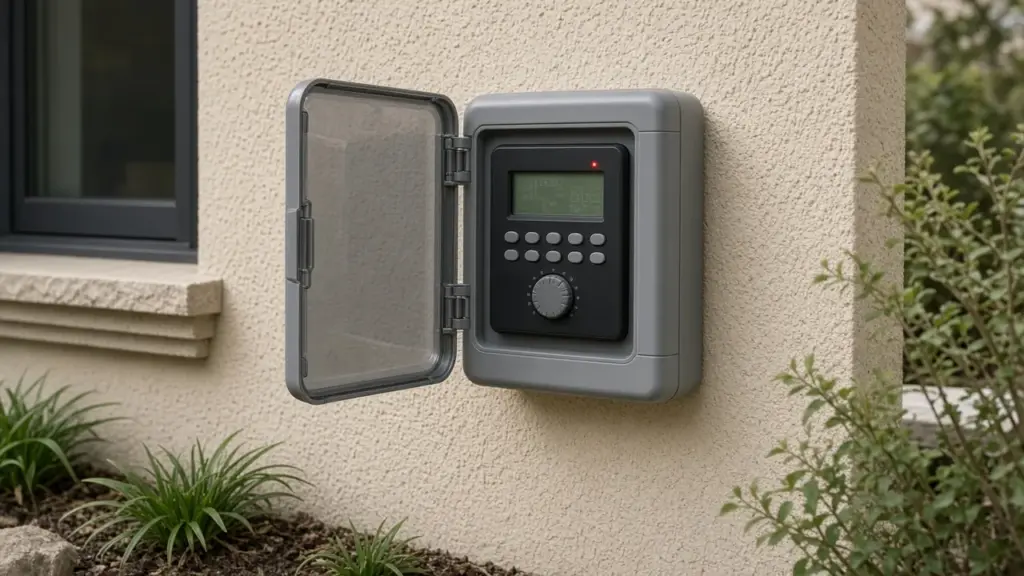
Toro irrigation controllers are found in many Dallas homes, from basic residential timers to smart, Wi-Fi-capable models. When something goes wrong, most Toro controllers display a message, an icon, or a blinking indicator. Those messages can be cryptic, and they vary by model and firmware version.
This guide explains the common categories of Toro controller alerts and what to check for each. Because exact codes and wording differ across models, always confirm the meaning in the owner’s manual for your controller, which Toro makes available online.
Before You Troubleshoot
- Identify your model. The model name is usually printed on the front panel or inside the cabinet door. Knowing it lets you find the right manual.
- Take photos of your programs. If you need to reset the controller, you will want a record of watering days, start times, and run times.
- Know your watering days. Dallas allows automatic irrigation no more than twice a week on assigned days, with no sprinkler watering between 10 a.m. and 6 p.m. year-round. Our Dallas watering schedule guide explains the rules.
Category 1: Power Alerts
What you may see
A message or icon indicating no AC power, a blank display, or a display that shows the time but nothing runs.
What to check
- The outlet: test it with another device and reset any tripped GFCI
- The breaker
- The transformer and its connection to the controller
- For hardwired controllers, the wiring inside the cabinet (leave line-voltage work to qualified people)
Some controllers keep the time on a backup battery during outages but cannot run valves without AC power. If the display works but zones never run, power to the valves may be the issue.
Category 2: Sensor Alerts
What you may see
An icon or message showing the rain sensor is active, or that watering is suspended.
What to check
- Is the sensor wet from recent rain? If so, the alert is normal.
- Is the sensor set too sensitively, or are its disks slow to dry?
- Is the sensor wire damaged, or is the wireless receiver not communicating?
- Is the controller’s sensor setting in the right position?
Dallas requires rain and freeze sensors on automatic systems. Do not leave a sensor bypassed permanently. Our guide to rain and freeze sensors explains testing.
Category 3: Station Faults
What you may see
An error message, often with a station number, indicating a problem with a zone’s electrical circuit. Many controllers detect shorts or overcurrent on a station output and skip that station.
What to check
- The station wire connection at the controller
- The wire splices at the valve
- The solenoid, using a multimeter to measure resistance
- Damage to the wire between the controller and the valve
A reading far below normal suggests a short. A reading that is very high or open suggests a broken wire or failed coil. Our guide to replacing a sprinkler solenoid walks through testing and replacement.
Category 4: Master Valve or Pump Faults
What you may see
An error related to the master valve or pump start circuit, on controllers that support them.
What to check
- Whether your system actually uses a master valve or pump start relay
- The wiring to the master valve
- The master valve solenoid
If your system does not use a master valve but the controller is configured for one, adjust the setting.
Category 5: Program or Memory Messages
What you may see
A message that no program is set, a blinking clock, or a reset to defaults after a power outage.
What to check
- Set the date and time
- Replace the backup battery if the model uses one
- Re-enter programs from your photos
If a controller loses its program repeatedly even with a new battery, it may be failing.
Category 6: Connectivity Alerts on Smart Models
What you may see
An indicator that the controller is offline or cannot reach Wi-Fi or the cloud service.
What to check
- Router status and Wi-Fi password changes
- Signal strength at the controller location
- Whether the controller needs a firmware update
A smart controller that goes offline may continue running its last schedule but will not receive weather adjustments or app changes.
When a Zone Does Not Run but No Error Appears
Not every problem triggers an alert. If a zone does not run and the controller shows no error:
- Check whether the zone is included in the program
- Check that the run time is not zero
- Check that seasonal adjust is not set very low
- Open the valve box and try the manual bleed
Our step-by-step guide to a zone that will not turn on covers the full diagnosis.
When Zones Run at the Wrong Time
- Check the clock and AM/PM
- Check for extra start times
- Check all programs for overlapping schedules
- Make sure watering days match your Dallas assignment
Our guide to programming a controller for Dallas’s schedule explains start times and programs.
Surge and Lightning Damage
Storms can damage controllers. Signs include a dead display after a storm, erratic behavior, or multiple station faults at once. Surge protection and proper grounding help. If a controller is damaged, replacement is often more practical than repair.
When to Replace a Toro Controller
- It will not hold programs even with a new battery
- Multiple stations fault even though wiring tests fine
- The display is unreadable or buttons fail
- You want smart features such as weather adjustment or app control
Our guide to controller repair and upgrades compares options.
A Simple Troubleshooting Order
- Read the message and look it up in the manual
- Check power and the outlet
- Check sensor status and settings
- Check programs, clock, and watering days
- Check station wiring at the controller
- Check the solenoid and valve in the field
Keep the Manual Handy
Once you know your model, save a digital copy of the manual on your phone or print the troubleshooting pages and keep them in the controller cabinet. When a message appears, you can look it up on the spot. Note the date and message whenever an alert appears; patterns, such as a station that faults only in wet weather, help technicians find intermittent problems faster.
Protecting the Controller
Many problems that trigger alerts start with the environment. Keep outdoor cabinets closed and latched, seal wire entry points against insects, and make sure the controller is not in direct afternoon sun. Indoor controllers in garages should stay dry and away from pooling water.
Frequently Asked Questions
What does an error on one Toro station mean?
Usually an electrical fault on that station’s circuit, such as a shorted wire or solenoid. Check the wiring and test the solenoid.
Why does my Toro controller say the sensor is active?
The rain sensor is signaling wet conditions, or the sensor or its wiring may be faulty. Check the sensor and settings.
Why did my Toro controller lose its program?
Often a power outage combined with a dead backup battery, depending on the model. Replace the battery and re-enter programs.
Where can I find the meaning of a specific Toro error code?
In the owner’s manual for your model, which Toro provides online.
Get Controller Help
We troubleshoot Toro, Hunter, Rain Bird, and other controllers and fix the wiring and valves behind them. See our sprinkler repair service, or contact us to schedule.
Request Service or call 214-227-7444
We serve homes throughout Dallas and nearby North Texas communities.