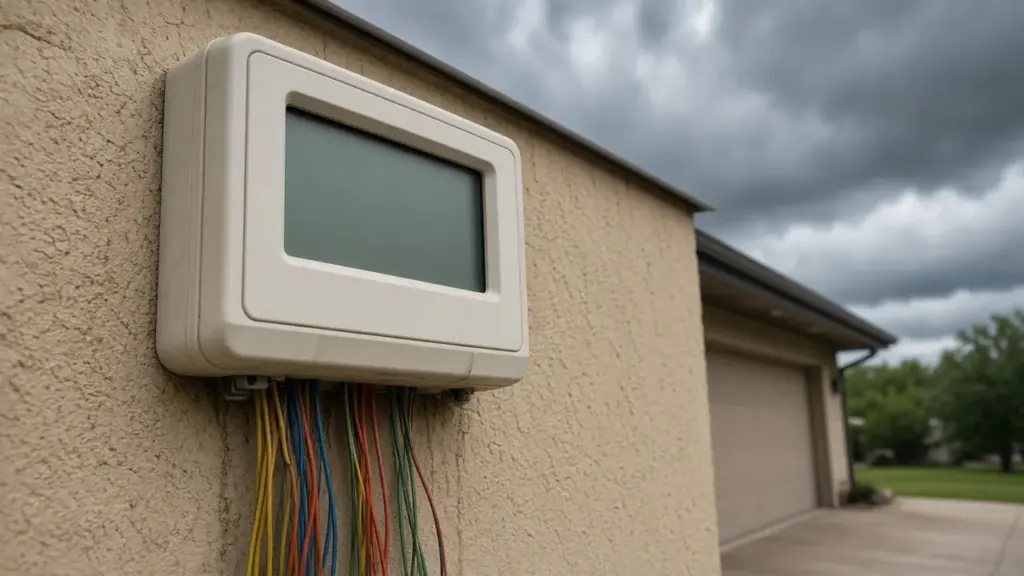
North Texas storms regularly knock out power, and when the lights come back on, many homeowners find their sprinkler controller blinking, showing the wrong time, or running a default schedule. Sometimes the controller waters on the wrong day before anyone notices. Other times it simply stops watering.
This guide explains why controllers lose settings after power outages, how backup power and memory work, and how to restore your schedule quickly.
Why Controllers Lose Settings
Irrigation controllers store two kinds of information:
- The clock: current time, day, and date.
- The program: watering days, start times, and run times for each zone.
Many modern controllers keep programs in non-volatile memory, which retains settings without power. The clock, however, often depends on a backup battery. When power fails and the backup battery is dead or missing, the clock resets. The program may still be intact, but it runs at the wrong time or on the wrong day because the clock is wrong.
Older controllers may lose both the clock and the program without a backup battery.
Common Symptoms
- The display blinks or shows 12:00
- The controller shows the wrong day or time
- Watering happens at odd times or on the wrong days
- The controller runs a default program
- No watering occurs at all
- The display is blank
Step 1: Check Power
If the display is blank, check:
- The outlet and any GFCI outlet nearby, which may have tripped
- The circuit breaker
- The transformer plug
- For hardwired controllers, the power supply wiring
Storms can trip GFCIs and breakers. If power is present but the display is blank, the controller or transformer may have failed. Lightning surges can damage controllers.
Step 2: Replace the Backup Battery
Many controllers use a coin cell or 9-volt battery to keep the clock running during outages. Batteries eventually die, and many homeowners never replace them. Check your controller’s manual for the battery type and location, and replace it. Some controllers use a long-life lithium battery built in; others use no battery and rely on memory.
Step 3: Reset the Clock
Set the correct time, day, and date. Pay attention to AM and PM. If the clock is set to PM when it is actually AM, every start time shifts by 12 hours.
Step 4: Review Programs
Even if programs survived, confirm them:
- Watering days match your Dallas assigned days
- Start times end before 10 a.m.
- Run times are correct for each zone
- No unwanted default programs are active
Dallas limits automatic sprinklers to two days per week: even addresses on Sundays and Thursdays, odd addresses on Wednesdays and Saturdays. Sprinkler watering between 10 a.m. and 6 p.m. is prohibited year-round. Our guide to programming a controller for the Dallas schedule walks through settings.
Step 5: Check for Default Programs
Some controllers load a default program when memory is lost, often watering every day for a set time. That can mean extra watering days and a possible violation. Clear or reprogram defaults. Our guide to a controller that waters on the wrong days covers related problems.
Smart Controllers and Outages
Wi-Fi smart controllers typically store schedules in the cloud and resync after power and internet return. They may still need time to reconnect. After an outage, check the app to confirm the controller is online and the schedule is correct. If your Wi-Fi password or router changed, you may need to reconnect the controller. Our guide to Rachio smart controller setup covers one popular model.
Brand-Specific Notes
Many controllers have specific reset and memory behavior. Our guides to Rain Bird ESP-TM2 setup and Hunter Pro-C and X2 troubleshooting cover two common models. Consult your manual for model-specific instructions.
Surge Protection
Lightning and power surges can damage controllers, transformers, and even valve solenoids. Some controllers have built-in surge protection; others benefit from an external surge protector. Grounding is also important on some systems. If your controller fails after every storm, surge protection may help.
Record Your Settings
The easiest way to recover from an outage is to have your settings written down. Take a photo of each program, or write down:
- Watering days
- Start times for each program
- Run times for each zone
- Seasonal adjustment percentage
- Rain sensor settings
Keep the record near the controller or on your phone.
When to Replace the Controller
Consider replacing the controller when:
- It will not hold settings even with a fresh battery
- The display is damaged or unreadable
- Stations fail to activate
- It fails repeatedly after storms
- You want features such as weather adjustment, flow monitoring, or remote control
Our irrigation controller repair guide explains repair and upgrade options.
Check the Rain and Freeze Sensor
Outages can also affect wireless rain and freeze sensors, which may need to re-pair with the controller. Dallas requires working rain and freeze sensors on automatic systems. After an outage, confirm the sensor is communicating.
After Long Outages
After extended outages, such as those during severe winter storms, check the whole system, not just the controller. Freezing temperatures during an outage can damage backflow preventers and exposed pipe. Walk the system before resuming watering.
Prevention Checklist
- Replace the backup battery annually or as recommended
- Photograph program settings
- Install surge protection if storms often affect the controller
- Check the controller after every outage
- Confirm smart controllers reconnect to Wi-Fi
Checking After Every Storm
Make it a habit to glance at the controller after any storm that flickers the lights. A quick look at the clock and date takes seconds. If the display is off or wrong, you can fix it before the next scheduled watering day rather than discovering the problem when the lawn starts to struggle or a neighbor mentions sprinklers running at noon.
Controllers in Garages vs. Outdoors
Where the controller is mounted affects how it handles outages and storms. Indoor controllers in garages are protected from rain and direct sun but still share the home’s power circuits. Outdoor controllers need weatherproof enclosures, and their cabinets should close properly to keep moisture and insects out. Moisture inside an outdoor cabinet can corrode terminals and cause erratic behavior that looks like memory loss. If an outdoor controller behaves strangely after storms, open the cabinet and check for water, corrosion, or nesting insects.
Transformers and Plug-In Power
Many residential controllers use a plug-in transformer. If the controller is dead after an outage but the outlet works, the transformer itself may have failed. Transformers are often replaceable separately, but match the voltage and rating specified for your controller.
Frequently Asked Questions
Why did my sprinkler controller reset after a power outage?
The clock often depends on a backup battery. If the battery is dead, the clock resets. Older controllers may also lose programs.
Will my controller keep its program without power?
Many modern controllers store programs in non-volatile memory, but the clock may still reset.
What battery does my sprinkler controller use?
It varies. Many use a coin cell or 9-volt battery. Check your manual.
Can a power surge damage my controller?
Yes. Lightning and surges can damage controllers, transformers, and solenoids.
Get Help Restoring Your Controller
We reset and reprogram controllers, add surge protection, and replace failed units. See our sprinkler repair service, or contact us to schedule.
Request Service or call 214-227-7444
We serve homes throughout Dallas and nearby North Texas communities.